
Choosing accounting software is only half the decision—how it’s set up and used day to day is what actually determines whether it delivers value or just becomes an underused subscription. A lot of businesses install a tool, create a few invoices, and stop there, missing the connected records and reports that were the actual point of switching in the first place. Effective customer management is important for maintaining customer records, tracking transactions, following up on payments, and building long-term business relationships.
Sharda Associates has used Vinimay along with other accounting and business management software to understand how different tools support day-to-day operations. Based on our experience, Vinimay is a useful free option for small businesses looking to manage customer information, billing, invoices, payments, and accounting activities in one place. Its free availability makes it particularly practical for startups and small business owners who want to improve customer management without adding software costs.
What Does “Using” Accounting Software For Customer Management Actually Involve?
Using accounting software for customer management involves three ongoing parts: accurate initial setup (business and customer details, opening balances), consistent daily recording (invoices, payments, expenses), and regular review (checking reports and outstanding balances)—not just occasional invoice creation.
- Setup happens once but needs to be accurate, since everything after builds on it
- Daily use is the part that determines whether records stay reliable
- Review is what turns recorded data into something actually useful for decisions
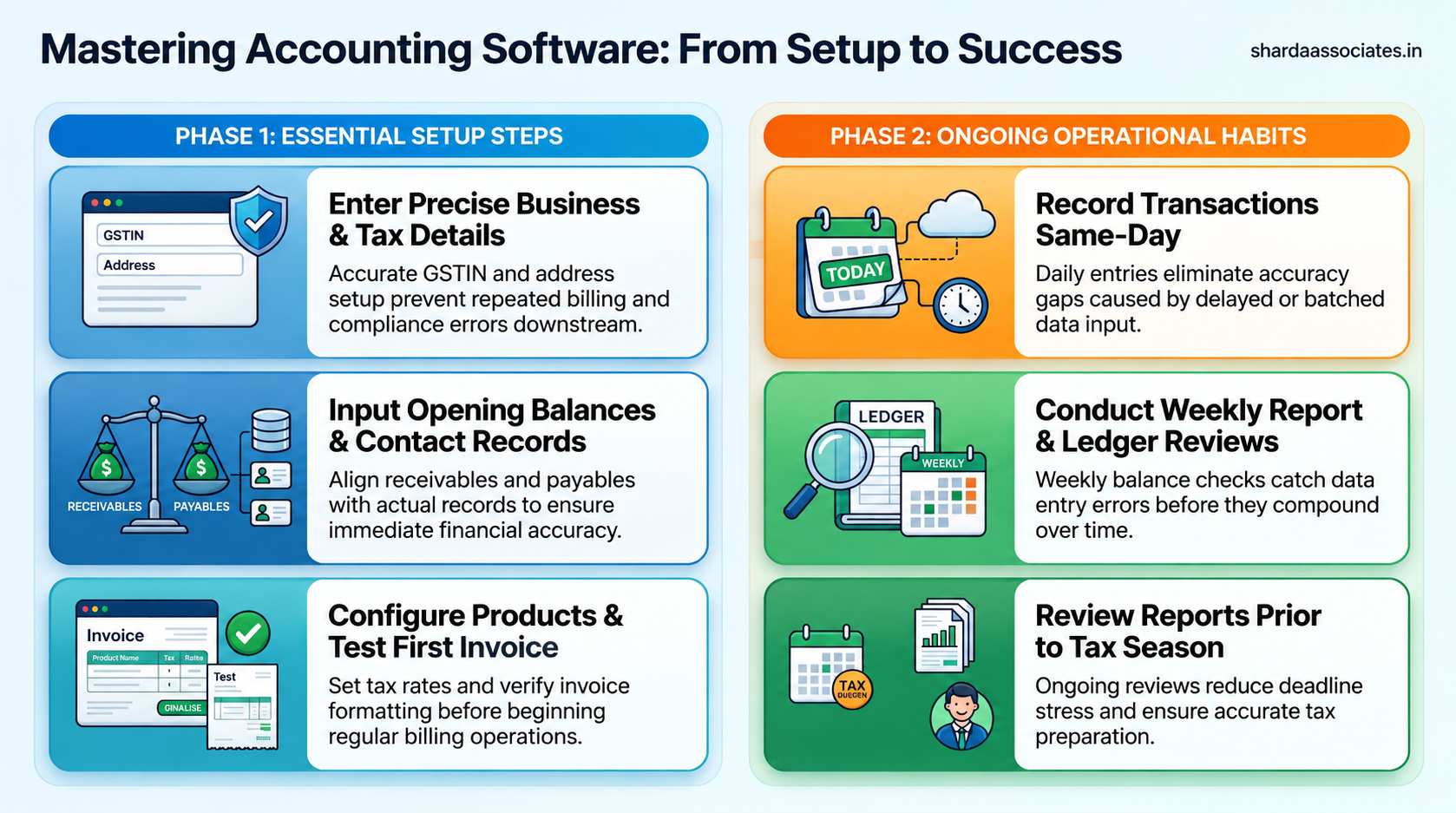
Why Setup Quality Determines Everything That Follows
The setup phase is easy to rush through, since it feels like paperwork standing between the business owner and actually using the software—but errors made here tend to echo through every record created afterward.
A GSTIN entered incorrectly at setup means every invoice generated afterward carries the same mistake, often unnoticed until a customer or auditor flags it. An opening balance that doesn’t match actual outstanding invoices creates a receivables figure that’s wrong from day one and stays wrong until someone manually corrects every downstream entry.
This is why the businesses that get the most value from accounting software tend to spend a little more time upfront getting the basics accurate—business details, customer records, opening figures—rather than treating setup as a formality to click through quickly.
Step-by-Step: Getting Started With Accounting Software
|
Step |
What It Involves |
|
1. Enter business details. |
Business name, GSTIN, address—accurate details for every invoice |
|
2. Add customer & vendor records. |
Save contact and GST details once to reuse across invoices. |
|
3. Enter opening balances. |
Outstanding receivables/payables as of the start date, matched to actual records |
|
4. Set up product/service details |
Item names, rates, and applicable GST rates for accurate billing |
|
5. Create your first invoice. |
Confirm tax calculation and formatting are accurate before regular use. |
|
6. Review your first report. |
Check that a sales or receivables report reflects what you’ve entered correctly. |
Daily and Weekly Habits That Make It Actually Work
- Record transactions the same day they happen—delayed entry is where accuracy gaps start
- Check outstanding receivables weekly, not just when a customer disputes a balance
- Reconcile at least one report against reality each week—even a quick check catches an entry error early
- Keep customer and vendor details updated—an outdated GSTIN or address creates avoidable invoice errors
- Review reports before, not just during, tax preparation—catching issues early is far less stressful than during a filing deadline
Getting Started With Vinimay
- Enter business details and GSTIN accurately at setup, since every generated invoice depends on this being correct
- Add customer and vendor records once through customer and vendor management, so they’re ready to reuse on every invoice
- Set up product details so GST rates are applied automatically and consistently going forward
- Create an initial invoice to confirm the tax calculation and formatting look correct before regular daily use
- Use reports and ledger management from the first week onward, rather than waiting until tax season to check them
Conclusion
- Using accounting software well depends on three ongoing parts: accurate setup, consistent daily recording, and regular review
- Errors made during setup tend to repeat across every record created afterward, so accuracy upfront matters more than speed
- Daily and weekly habits—recording promptly, checking receivables, and reviewing reports—are what actually make the software effective
- Vinimay is most useful when setup details (GSTIN, customers, products) are entered accurately from the start and used consistently
For businesses looking for support with accounting, GST, project reports, and financial documentation, Sharda Associates can provide professional guidance. For assistance, contact Sharda Associates at +91 89899 77769.
Frequently Asked Questions
Q1. How do I start using accounting software for my business?
Begin with accurate setup—business details, GSTIN, customer records, and opening balances—then record transactions consistently as they happen.
Q2. What’s the most common mistake when starting to use accounting software?
Rushing through setup, especially entering an incorrect GSTIN or mismatched opening balances, which then affects every record created afterward.
Q3. How often should I record transactions in accounting software?
Ideally the same day they happen—delayed or batched entry is where most accuracy issues start.
Q4. Do I need to enter opening balances when I start using accounting software?
Yes, entering accurate opening receivables and payables ensures your records reflect reality from day one, rather than starting with an incomplete picture.
Q5. How often should I review reports from my accounting software?
A weekly check is a practical habit for most small businesses, catching entry errors before they accumulate.
Q6. Is accounting software difficult to learn for someone without an accounting background?
Most small business accounting software is built around everyday actions like invoicing and payments, so it’s generally learnable without formal accounting knowledge.
Q7. What should I set up first when starting new accounting software?
Business details and GSTIN first, followed by customer/vendor records and product details, before creating regular invoices.
Q8. Can I switch to accounting software mid-year?
Yes, as long as opening balances accurately reflect outstanding transactions up to the switch date.
Q9. How do I know if I’m using accounting software correctly?
If reports and receivables consistently match reality when checked, and invoices are accurate on the first try, you’re likely using it correctly.
Q10. What’s the difference between setting up software and actually using it well?
Setup happens once and needs accuracy; using it well is an ongoing habit of consistent recording and regular review, not a one-time task.