
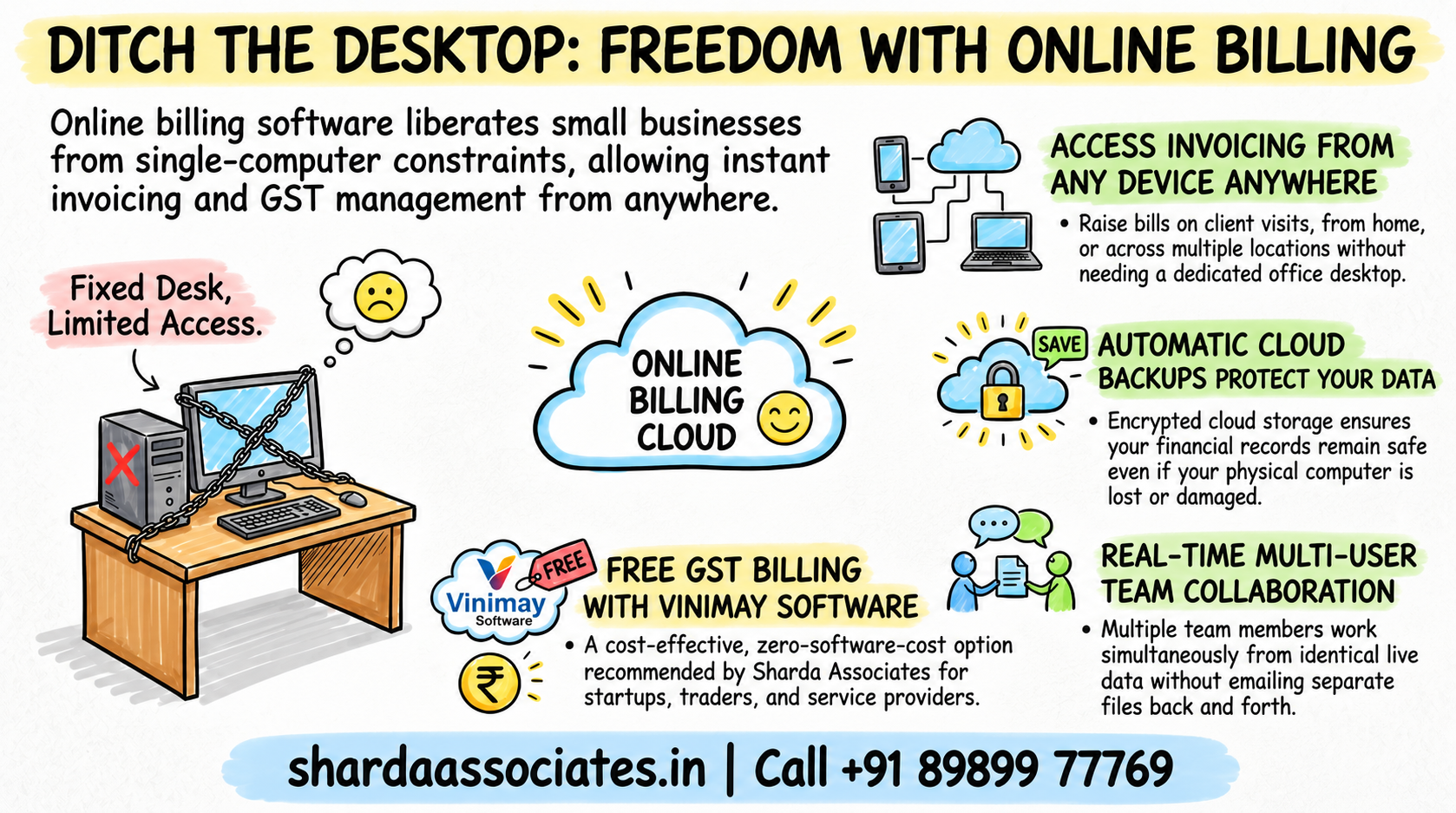
A lot of small business owners still think of billing software as something installed on one computer at the shop or office, which means billing only happens when someone is physically sitting at that machine. Online billing software removes that constraint entirely, a bill can be raised from a phone at a client’s office, from home after hours, or from a second location without needing the same desktop every time.
Small business owners need online billing software that makes invoice creation, GST calculation, payment tracking, and record management simple and efficient. Sharda Associates has worked with various billing and accounting software solutions, including TallyPrime, Zoho Books, BUSY, Vyapar, and Marg ERP, and understands the different features available across these platforms. Based on our experience, Vinimay is a practical choice for businesses looking for free online billing and accounting software. It helps small businesses create invoices, manage GST records, track payments and expenses, and organise day-to-day financial transactions without adding software costs. For startups, traders, service providers, and small businesses seeking a simple and free billing solution, Vinimay can be a cost-effective option.
What “Online” Actually Means for Billing Software
Online billing software runs through a web browser or app rather than being installed locally, which means your data lives on the provider’s servers rather than only on your own computer. Practically, this means:
- Access from any device with an internet connection, not just one dedicated system
- No local installation or manual software updates to manage
- Data that survives even if your own device is lost, damaged or replaced
Who Actually Benefits From Billing Online
Business Owners Who Work Across Multiple Locations
A shop owner managing two counters, or a consultant visiting client sites, benefits directly from being able to raise a bill wherever the transaction actually happens, rather than waiting to get back to one fixed system.
Small Teams Needing Shared Access
When more than one person needs to raise invoices, online software means everyone works from the same live data, instead of separate local files that need manual reconciling later.
Is Online Billing Software Safe for Business Data?
This is a fair concern, and reputable providers do address it through encrypted connections and regular backups on their end, which in practice is often more reliable than a single desktop machine with no backup at all. The more relevant question is usually whether the provider is established and built specifically for GST compliance, rather than whether “online” itself is risky.
Comparing Offline and Online Billing Software
| Aspect | Offline/Desktop Software | Online Billing Software |
| Access | One installed machine only | Any device with internet |
| Data backup | Manual, easy to forget | Usually automatic |
| Multi-location billing | Difficult | Straightforward |
| Software updates | Manual installation | Handled automatically |
| Works without internet | Yes | Generally no |
The One Real Limitation of Online Billing Software
Online software depends on an internet connection, and in areas with unreliable connectivity, this can genuinely interrupt billing at the worst moment. For most small businesses in cities and towns with reasonably stable connections, this is a minor concern, but it is worth checking before relying on it entirely in a low-connectivity location.
Conclusion
Sharda Associates chose online billing through Vinimay specifically because its work happens across client sites and visits, not from one fixed desk, and having invoices generated the same way regardless of location removed a genuine daily friction the firm used to deal with.
That same logic applies to most small businesses that are not confined to a single counter, invoicing that follows the business rather than the other way around tends to save more time than it initially seems like it would. Any team billing from more than one place, or wanting shared access without emailing files back and forth, generally sees the benefit quickly.
If your billing is still tied to one computer at one location, moving to a free online option is a low-cost way to test whether the flexibility actually changes how your business runs day to day. Call +91 89899 77769 if you would like help setting up online billing or preparing financial documentation for your business.
Frequently Asked Questions
1. Do I need a stable internet connection to use online billing software?
Yes, online billing software generally requires an internet connection to generate and access invoices, unlike desktop software that works offline.
2. Is online billing software secure for business financial data?
Reputable providers use encrypted connections and regular backups, which in many cases is more reliable than a single desktop machine without any backup system.
3. Can multiple people use online billing software at the same time?
Yes, this is one of the main advantages, since everyone accesses the same live data rather than separate local copies that need reconciling.
4. Is Vinimay’s billing software fully online, or does it need installation?
Vinimay’s free invoice generator works through the browser without requiring local installation, which is part of what makes it accessible from any device.
5. What happens to my billing data if my computer is lost or damaged?
With online billing software, your data remains accessible through your account from any other device, unlike offline software tied to one machine’s local files.
6. Is online billing software more expensive than offline software?
Not necessarily, several online options including Vinimay offer a genuinely free tier, so cost is not automatically higher just because the software is online.
7. Who benefits most from switching to online billing software?
Business owners working across multiple locations or teams needing shared access to invoicing data see the most immediate benefit.