
Feature lists for accounting software tend to read the same everywhere, a long checklist with no sense of which items matter now versus which ones only become relevant once a business is much bigger. Most Indian small businesses do not need payroll modules or multi-currency support on day one, but they absolutely need GST compliance and clean payment tracking from the very first invoice.
Businesses should look for accounting software with essential features such as GST-compliant invoicing, expense tracking, payment management, financial reports, customer and supplier records, and easy transaction tracking. Sharda Associates has worked with various accounting software solutions, including TallyPrime and Zoho Books, and has experience with different accounting requirements and workflows. Based on our practical experience, Vinimay stands out as a free accounting software option for businesses that want essential accounting and billing features without additional software costs. It can help traders, service providers, startups, and small businesses simplify daily financial management while keeping their records organized.
Rather than one long undifferentiated list, this article groups accounting software features by what they actually solve, so it is easier to tell which ones matter for your business right now.
Foundation Features: What Every GST-Registered Business Needs
These are not optional, regardless of business size:
- GST calculation applied automatically by HSN or SAC code
- GSTIN validation before an invoice is finalized
- Sequential, gap-free invoice numbering
- A basic ledger showing what came in and what went out
Skipping any of these usually surfaces as a problem during GST filing, not before, which is what makes them foundational rather than optional extras.
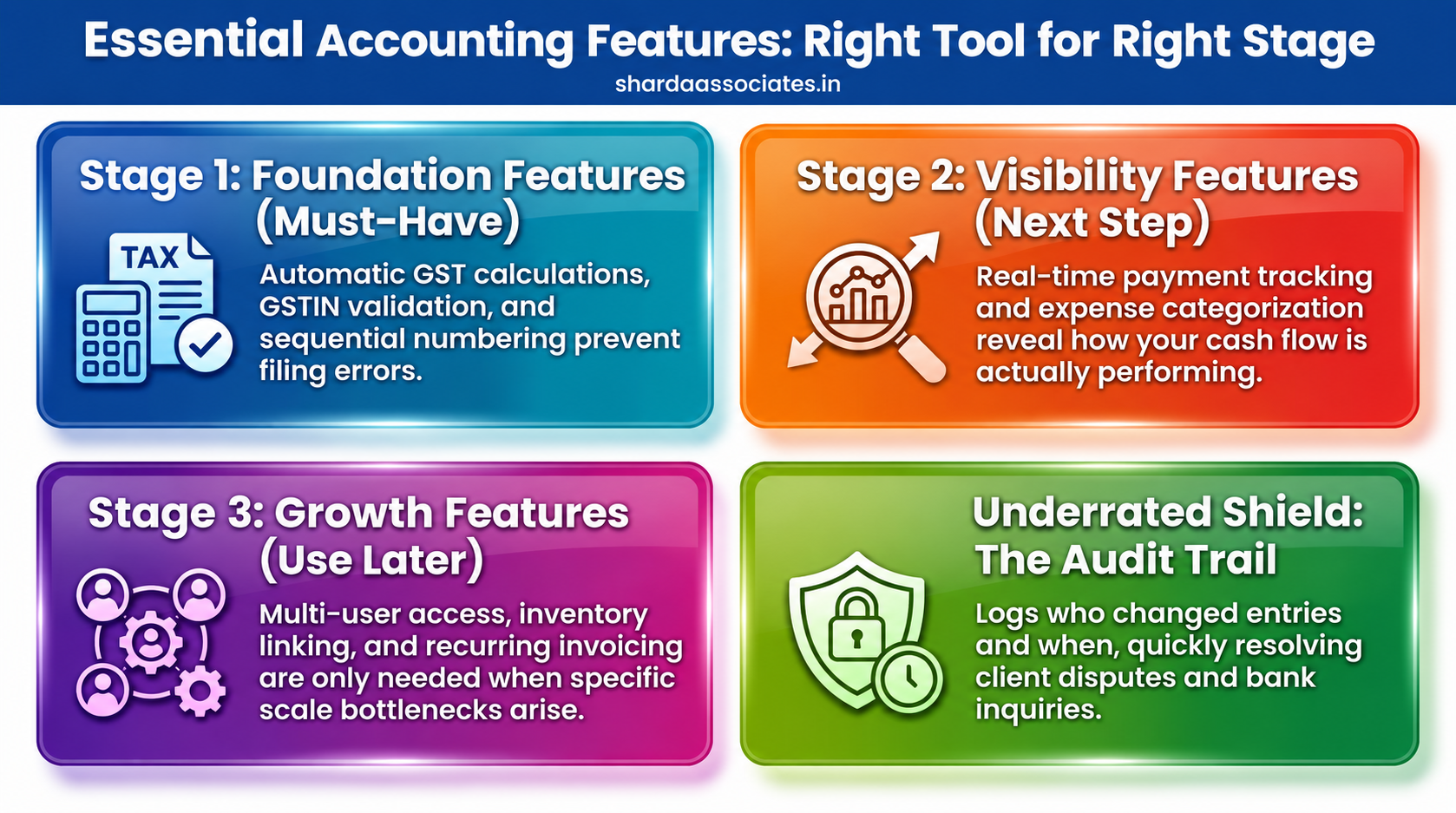
Visibility Features: Knowing Where You Actually Stand
Foundation features keep you compliant. Visibility features tell you how the business is actually doing.
- Real-time outstanding payment tracking, rather than a manual list updated occasionally
- Expense categorization, so spending can be reviewed by type, not just as one total
- A simple profit view combining sales and expenses, without waiting for month-end to calculate it manually
Feature Comparison Table
| Feature | What It Does | Why It Matters |
| GST calculation | Applies the correct tax rate by item code | Prevents filing errors and notices |
| GSTIN validation | Flags invalid customer tax numbers | Avoids input tax credit disputes |
| Payment status tracking | Shows paid vs. outstanding in real time | Protects cash flow |
| Bank reconciliation | Matches records against bank statements | Catches discrepancies early |
| Audit trail | Logs who changed what and when | Useful during disputes or reviews |
Growth Features: Useful Later, Not Urgent Now
Multi-User Access With Role Control
Once more than one person touches the books, the software should let different people see or edit different things, rather than one shared login with no restrictions.
Inventory Linking
Relevant only if you sell physical goods, this keeps stock levels updated automatically with every sale instead of needing a separate manual entry elsewhere.
Recurring Invoicing
Useful specifically for retainer or subscription-based billing, where the same invoice needs to go out on a fixed schedule without being recreated by hand each time.
An Underrated Feature: The Audit Trail
Most small business owners do not think about audit trails until they actually need one, during a dispute with a client over what was billed, or when a bank asks for clarity on a specific transaction. Software that logs who created or changed an entry and when settles this kind of question quickly instead of relying on memory.
Matching Features to Where Your Business Actually Is
The honest approach is to start with the foundation features, add visibility features once you are past basic compliance, and only look at growth features once a specific limitation, more people needing access, or stock genuinely needing to be tracked, actually shows up. Buying for a stage you have not reached yet usually means paying for complexity that just sits unused.
Conclusion
Sharda Associates has seen the cost of skipping foundational features play out directly in client work, businesses reconstructing GST figures at filing time because their billing never validated GSTIN or applied tax correctly in the first place. It is almost always the basics that cause the real trouble, not the absence of an advanced dashboard.
Choosing Vinimay for the firm’s own billing came down to exactly this reasoning: get GST compliance and invoice consistency right for free, and add anything more only if a genuine need for it shows up later. That approach has held up well without requiring a switch to something more complex.
If you are evaluating accounting software for your own business, start with the foundation list above and confirm each one works properly before looking at anything else. Call +91 89899 77769 if you would like a CA’s review of your current billing setup against what your business actually needs.
Frequently Asked Questions
1. What is the single most important accounting software feature for a GST-registered business?
Correct, automatic GST calculation by HSN or SAC code is close to non-negotiable, since manual tax calculation is where most filing errors originate.
2. Do small businesses need an audit trail feature?
It becomes valuable the first time a billing dispute or bank query arises, since it settles questions about who entered or changed a transaction without relying on memory.
3. When does multi-user access actually become necessary?
Once more than one person needs to raise or approve invoices, shared, unrestricted logins start creating accountability and accuracy problems.
4. Is inventory linking relevant for a service-based business?
Generally not; inventory linking matters mainly for businesses selling physical goods and adds unnecessary complexity for a business that only bills for services.
5. Does Vinimay include all the foundation features mentioned here?
Yes, GST calculation, GSTIN validation, and sequential invoicing are core to Vinimay’s free plan, which is why it works well for the foundational stage.
6. Should I choose software based on how many features it has?
No, the right approach is matching features to your current bottleneck, since unused features add cost and complexity without solving anything you are actually struggling with.
7. Can Sharda Associates review whether my current accounting software has the right features?
Yes, Sharda Associates reviews client billing and accounting setups regularly and can advise on gaps against foundational, visibility, and growth-stage requirements.