
Short answer: If a government office deducted GST TDS from your payment but the credit not showing in your electronic cash ledger, the usual reason is that the deductor has not filed GSTR-7, or filed it with a wrong GSTIN or amount. Check your GSTR-2A and cash ledger, ask for the GSTR-7A certificate, and request the deductor to file or correct GSTR-7. Until the credit shows, pay your GST liability from cash.
Key points
- Credit appears only after the deductor files GSTR-7. Deducting TDS from your bill is not enough.
- Where to check: electronic cash ledger and the TDS credit section of GSTR-2A.
- What to ask for: Form GSTR-7A, the TDS certificate.
- Do not use the credit in your return until it actually shows on the portal.
Why Is My GST TDS Credit Not Showing?
When a government department or other notified deductor pays you, it holds back 2% as GST TDS and reports it in GSTR-7. Your credit is created from that return. If the return is missing or wrong, the credit does not reach you, even though your payment was already reduced.
Common Reasons and What to Do
| What you see | Likely reason | What to do |
| No credit in cash ledger or GSTR-2A | Deductor has not filed GSTR-7 | Ask the deductor to file it and share proof |
| Credit missing for one bill only | Entry left out of GSTR-7 | Ask for a corrected or amended GSTR-7 |
| Credit showing under another supplier | Wrong GSTIN entered by deductor | Ask the deductor to amend the GSTIN |
| Amount is less than expected | Wrong contract value or rate used | Compare with the payment advice and request correction |
| Credit appears in a later month | Late filing of GSTR-7 | Wait for it to show, and follow up on the delay |
| TDS deducted but no certificate received | GSTR-7A not issued | Ask for the certificate in writing |
What Should You Do, Step by Step?
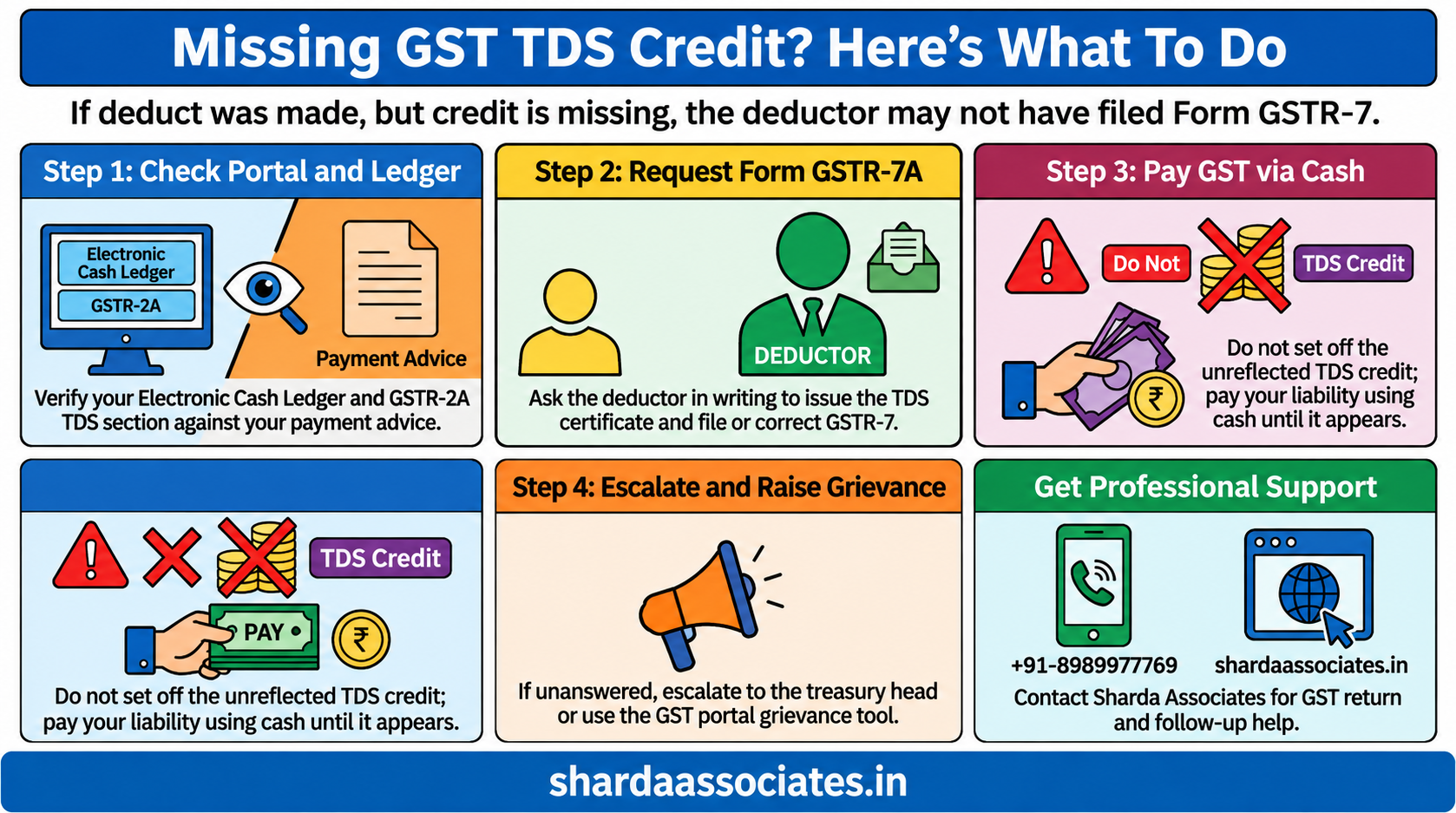
- Check your GST portal. Look at the electronic cash ledger and the TDS credit section in GSTR-2A for the month of payment.
- Match with your payment advice. Note the bill number, amount deducted and the date.
- Ask for Form GSTR-7A. It shows the contract value, rate, amount deducted and amount paid to the government.
- Write to the deductor. Send a short email or letter with the invoice, payment advice and GSTIN, asking them to file or correct GSTR-7.
- Escalate if there is no reply. Write to the head of the office or the accounts or treasury officer, and keep a copy.
- Raise a grievance. If the problem continues, use the grievance option on the GST portal or contact your jurisdictional GST officer.
- Pay your GST from cash meanwhile. Do not set off the TDS credit until it appears.
- Keep records. Save the invoice, payment advice, certificate request and all follow-ups for your file.
What to Say in Your Request
Keep the request short and factual. Include these points:
- Subject: GST TDS credit not reflecting for the month of ___
- Your GSTIN: ___
- Invoice number and date: ___
- TDS amount deducted: ₹___
- Date of payment: ___
- Problem: the TDS was deducted from our payment, but the credit is not showing in our electronic cash ledger
- Request: please file or correct GSTR-7 and share Form GSTR-7A
- Attach: payment advice and a copy of the invoice
What Happens If You Do Nothing?
- Your money stays locked with the government.
- You pay your GST liability from your own cash in the meantime.
- Cash flow suffers, especially if you bill government offices regularly.
- The entry becomes harder to trace later, because the deductor’s records may change.
- Follow-up gets slower with every month of delay.
How to Avoid This in Future
- Write your correct GSTIN on every invoice and in the work order.
- Check the electronic cash ledger every month for TDS credits.
- Keep a simple list of bills on which TDS was deducted.
- Follow up with the office before the 10th of the month, the GSTR-7 due date.
- Ask for Form GSTR-7A every time TDS is deducted.
- Escalate in writing if the same office misses repeatedly.
Conclusion
When GST TDS credit does not show, the problem almost always sits with the deductor’s GSTR-7. The quickest fix is to check your portal, get the GSTR-7A certificate and ask the office in writing to file or correct the return.
Do not claim the credit until it appears, and keep every email and payment advice. A short, clear follow-up usually solves it, and escalation helps when the office is slow.
For help with TDS credit follow-up, GST returns and CA-prepared project reports for bank loans, call Sharda Associates on +91-8989977769.
Questions People Ask
Q1. Why is my GST TDS credit not showing?
Usually because the deductor has not filed GSTR-7 or filed it with a wrong GSTIN or amount.
Q2. Where can I see GST TDS credit?
In your electronic cash ledger and in the TDS credit part of GSTR-2A on the GST portal.
Q3. Who is responsible for filing GSTR-7?
The deductor, such as the government department that made the payment.
Q4. What is GSTR-7A?
It is the TDS certificate the deductor gives you, showing the amount deducted and paid to the government.
Q5. Can I claim the TDS credit before it shows on the portal?
No. Use it only after it appears in your cash ledger.
Q6. What if the deductor does not respond?
Escalate in writing to the head of the office or the accounts officer, and raise a grievance on the GST portal if needed.
Q7. Can I get the amount back if the deductor never files?
You can pursue it with the deductor and the jurisdictional officer. A CA can help draft the follow-up.
Q8. How long does it take for credit to show after GSTR-7 is filed?
It generally shows soon after the return is filed. If it does not, check the GSTIN and the amount in GSTR-7A.