
Loan sanctioned, business started, but PMEGP subsidy ka status abhi bhi unclear hai? This is a common concern among entrepreneurs who have applied under the Prime Minister’s Employment Generation Programme.
The important thing to understand is that PMEGP subsidy release and loan sanction are two different stages. After loan sanction, the margin money subsidy goes through bank and implementing agency verification. It is generally kept under a three-year lock-in period before adjustment against the loan, subject to scheme conditions.
If you are unsure about your subsidy progress, Sharda Associates can help you understand the PMEGP process, project report requirements, bank documentation and subsidy-related formalities. We have delivered 45,500+ CA-certified reports for entrepreneurs and businesses.
In this guide, you will learn where to check your PMEGP application, how to identify the actual subsidy release stage and what action to take when your application remains pending.
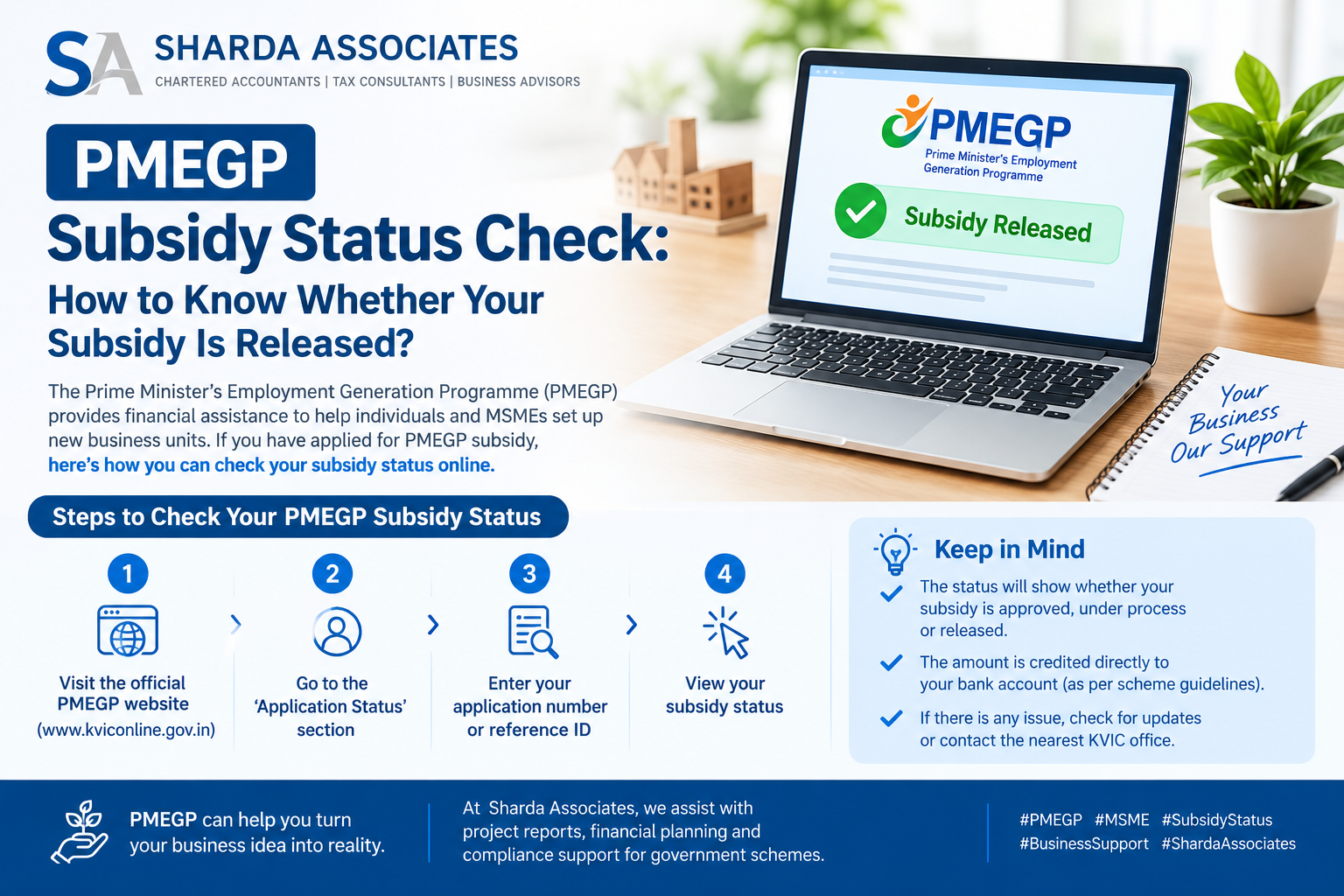
Quick Answer: To check your PMEGP subsidy status, log in as a registered applicant on the official PMEGP e-portal (pmegp.msme.gov.in) using your user ID and password, and open “Current Status” or “View Status”. It shows progress across the agency (KVIC, KVIB, DIC), the bank and margin money release. The subsidy is released by KVIC to the bank, which holds it as a term deposit for 3 years, and it is adjusted against your loan after a positive physical verification. Subsidy rates are 15% to 35% of project cost, depending on category and area.
PMEGP stages and subsidy rates
| Beneficiary | Own contribution | Subsidy (urban) | Subsidy (rural) |
| General | 10% | 15% | 25% |
| Special (SC, ST, OBC, minority, women, ex-servicemen, differently-abled, NER, and hill areas) | 5% | 25% | 35% |
The maximum project cost is ₹50 lakh for manufacturing and ₹20 lakh for service or business units, excluding land. Your scheme cycle may be updated, so check the official portal for new limits.
How to check your PMEGP application status
Open the official PMEGP e-portal and choose the registered applicant login. Enter the user ID and password that were generated and sent to your mobile when you applied. After logging in, open the “Current Status” or “View Status” menu to see where your application stands. You will also get SMS updates on your registered mobile number, so keep the number active. Older guides mention the kviconline.gov.in e-portal, and portal addresses change over time, so use the link shown on the official PMEGP website.
If you have lost your password, use the reset option, and if the problem continues, contact your implementing agency (the District Industries Centre, KVIB, or KVIC office) with your application number.
The seven stages from application to subsidy
- Agency review. The chosen agency (KVIC, KVIB, DIC or Coir Board) reviews your application.
- Score card check. If the score is satisfactory, the application goes to your chosen bank.
- Bank decision. The bank assesses viability and decides on the loan.
- Your contribution and EDP. Within 30 working days of the sanction notice, you deposit your share and give the bank your EDP certificate, photo and Aadhaar details.
- Loan release and subsidy claim. The bank releases the loan and claims the margin money subsidy.
- Subsidy release to bank. KVIC validates the claim and a nodal bank releases the subsidy to your bank.
- Lock-in and adjustment. The subsidy sits in a deposit for 3 years from the first loan instalment. After a physical verification, it is adjusted against your loan. Udyam registration is needed before this step.
How to know whether your subsidy is really released
Check three places. First, the portal’s margin money stage should show that the claim has been processed. Second, ask your bank for a statement of the subsidy deposit or subsidy reserve account linked to your loan. Third, after the 3-year lock-in, ask the branch for a letter showing that the subsidy has been adjusted. Do not rely only on the portal, because your bank’s records show the actual credit.
Keep in mind that the subsidy is not cash in your hand. It reduces your loan after the lock-in, so your EMIs stay the same until adjustment, unless the bank reduces the principal on your request.
Why PMEGP status gets stuck
Complete applications are often handled in about four to six weeks, according to one source, but delays are common. Typical reasons are missing documents, pending EDP training, a project that is not new, no capital expenditure, joint financing by two banks, or a family member who has already taken assistance. Another reason is not using the working capital limit as required.
Sometimes the bank sits on a file without acting. In that case, use the grievance section of the portal and write to the agency in parallel. If your application is rejected, fix the issues raised and apply again.
Documents and preparation
A good file helps at every stage. You need Aadhaar and PAN, a bank-ready project report, quotations, and proof of premises. Our project report for PMEGP loan service builds the report banks accept, and our PMEGP loan project report guide explains what to include. For help beyond PMEGP, see our government subsidy consultant page and our subsidy consultancy service.
For banks, a financial view of your business also helps, which our CMA report for bank loan service provides.
Conclusion
Checking your PMEGP status is simple, but understanding it takes a little care. Log in to the official e-portal, read the agency, bank and margin money stages, and confirm the subsidy through your bank’s deposit records.
Remember that the subsidy is released to the bank first and adjusted against your loan only after the 3-year lock-in and a positive physical verification. A complete file, timely EDP and regular follow-up help you avoid the common delays.
If you want Sharda Associates to prepare your PMEGP project report or follow your application, call us on +91 79870 21896 or +91 89899 77769, or contact us online.
Frequently asked questions
1. How do I check my PMEGP application status?
Log in on the official PMEGP e-portal as a registered applicant and open “Current Status” or “View Status”.
2. Where do I get my user ID and password?
They are generated when you submit the application and are sent to your registered mobile number.
3. How do I know my subsidy is released?
Check the margin money stage on the portal, and ask your bank for the subsidy deposit statement and later the adjustment letter.
4. How long is the subsidy locked in?
For 3 years from the first loan instalment, followed by a physical verification.
5. What are the PMEGP subsidy rates?
General category gets 15% in urban and 25% in rural areas. Special category gets 25% in urban and 35% in rural areas.
6. What is the maximum project cost?
₹50 lakh for manufacturing and ₹20 lakh for service or business units, excluding land.
7. What if my bank is not acting on my file?
Use the grievance section on the portal, write to your implementing agency, and follow up with the bank’s regional office.
8. Is EDP training compulsory?
Yes, for projects above ₹2 lakh. It must be completed before the loan is released.